
Technical Resources · Comparison
Single-Function vs Multifunction Panel Meters
A single-function panel meter can provide a direct local indication for one defined quantity. A multifunction meter can consolidate several electrical measurements and may add communications or outputs. The better choice depends on the operator task, measurement architecture, panel space, integration needs and the exact functions documented for the selected model.
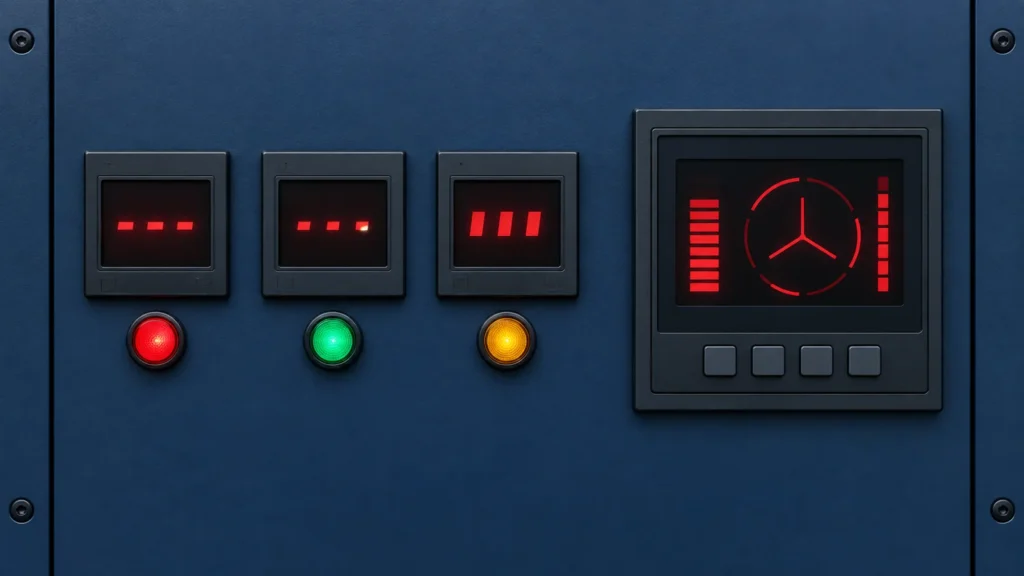
This comparison organizes the decision between dedicated indication and consolidated measurement. It does not claim that every multifunction meter measures every parameter, that RS485 guarantees a particular protocol, or that the D85, AD16-22 and multifunction RITOKS products share the same inputs or accuracy.
Buying Decision at a Glance
| Decision input | Buyer must confirm | Evidence required |
|---|---|---|
| Measured quantities | Voltage, current, frequency, power, energy or another defined set | Exact measurement list and range |
| Input architecture | Direct input, CT, shunt or other sensor interface | Wiring diagram and compatible secondary values |
| Operator task | Always-visible single value or navigated multi-value display | Display and menu behavior |
| Integration | Local-only, pulse, relay, analog or communications | Exact output/port/protocol data |
| Installation | Cutout, depth, auxiliary supply and terminal access | Dimension and connection drawing |
Start With the Operator Decision
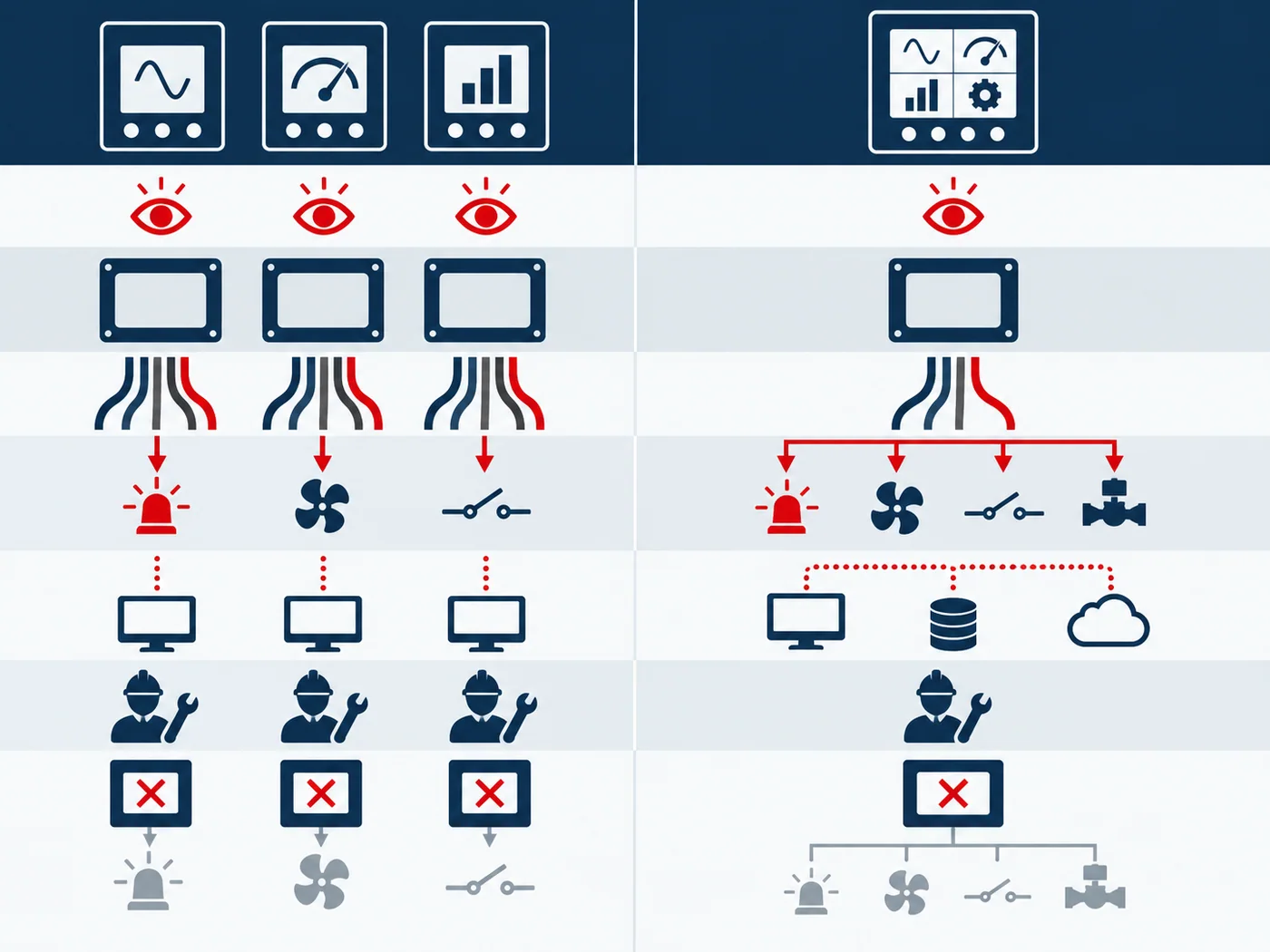
Ask what the person at the panel must know and how quickly. A dedicated display can keep one critical value continuously visible with little navigation. A multifunction meter can reduce the number of instruments while allowing the user to browse several related quantities.
Consolidation is useful only when the display and menu remain practical for the operating task. If two values must be watched simultaneously, a single scrolling screen may not replace two dedicated indicators.
Define Every Measurement Input
List each required quantity, nominal range, maximum expected value, phase arrangement and required sensor interface. Current measurement may require a CT or shunt; voltage may be direct or transformer-connected. The exact wiring and isolation boundaries must come from the candidate documentation.
Do not infer input type from the front display. Two meters with similar dimensions may accept different signals or need different auxiliary power. Treat each order code as a separate measurement system.
Compare Outputs and Communications Separately
A multifunction label does not guarantee RS485, Modbus, relay outputs, pulse outputs or analog retransmission. Request each required function explicitly. Where a communication port is offered, verify physical layer, protocol, register map, addressing, baud rate and system compatibility.
Schneider describes multifunction meters as consolidating several electrical parameters, while its detailed product records separate communication and I/O by model. That is the correct evidence pattern: category capability is not exact-order capability.
Include Accuracy and Commissioning
State the required measurement performance and the conditions under which it matters. Accuracy class, resolution, update rate and sensor error are different concepts. The complete chain may include CT or shunt error, wiring and configuration as well as the meter.
Multifunction devices can reduce panel cutouts but add settings. Record CT ratios, wiring system, communication parameters and energy-reset permissions. A commissioning sheet helps prevent a correct meter from producing misleading values because the configuration is wrong.
Compare Lifecycle Scope
A dedicated meter can be easier to replace when only one indication is needed. A multifunction meter can simplify expansion and remote monitoring when those functions are genuinely required. Compare spare strategy, configuration backup, operator training and integration effort rather than device price alone.
Avoid paying for undocumented future use. If communications may be needed later, specify an exact port and protocol now or confirm a defined upgrade path. A vague “smart meter” description is not a lifecycle plan.
Build an Evidence File Before Approval
Create one review sheet for the proposed Digital Panel Meter order code. Put project inputs in one column and supplier evidence in the other. Preserve the exact pages, drawings, curves and tables used in the decision, including their revision or retrieval date. A category page can establish product-family context, but an exact rating or connection claim must trace to the quoted configuration.
Check that every accepted value describes the same orderable item. Similar housings can contain different circuits, supplies, terminals, airflow arrangements or accessories. Do not combine a family maximum from one variant, a drawing from another and an optional feature from a third. Mark unresolved fields explicitly instead of allowing them to disappear in the commercial quotation.
Control Changes During Sourcing
Keep the application record frozen while suppliers respond. If the load, voltage, environment, duty, enclosure, cooling method or required output changes, issue a revised record and ask each supplier to reconfirm the candidate. Otherwise two quotations may look comparable while answering different technical requirements.
A proposed substitute returns to the same evidence gate. Matching dimensions, a similar product photograph or one equal headline rating is not enough. The substitute must satisfy the required functions and conditions with its own exact documentation.
Common Procurement Errors
- Selecting Digital Panel Meter from one headline rating while leaving the application context undefined.
- Using a curve, terminal diagram or performance claim from a neighboring model.
- Comparing free-air, nominal or family-maximum data with an application operating point.
- Treating included accessories and system functions as obvious from a product name.
- Approving a substitution without reopening the technical evidence review.
A multifunction label does not prove every measurement, RS485 or Modbus support, or a relay output. If operators must watch two readings at once, a single menu-driven display may be less useful than dedicated indicators even when it lists more functions.
How to Compare Supplier Offers
| Comparison point | Required evidence | Do not accept |
|---|---|---|
| Decision point | Single-function meter | Multifunction meter |
| Display task | One dedicated value remains obvious | Multiple values may require pages or menus |
| Panel space | One cutout per displayed function | Can consolidate several measurements |
| Configuration | Often narrower and simpler | More ratios, wiring and communication settings |
| Integration | May be local-only or model-specific output | May offer communications/I/O on exact variants |
| Failure impact | One indication affected | Several measurements may share one device |
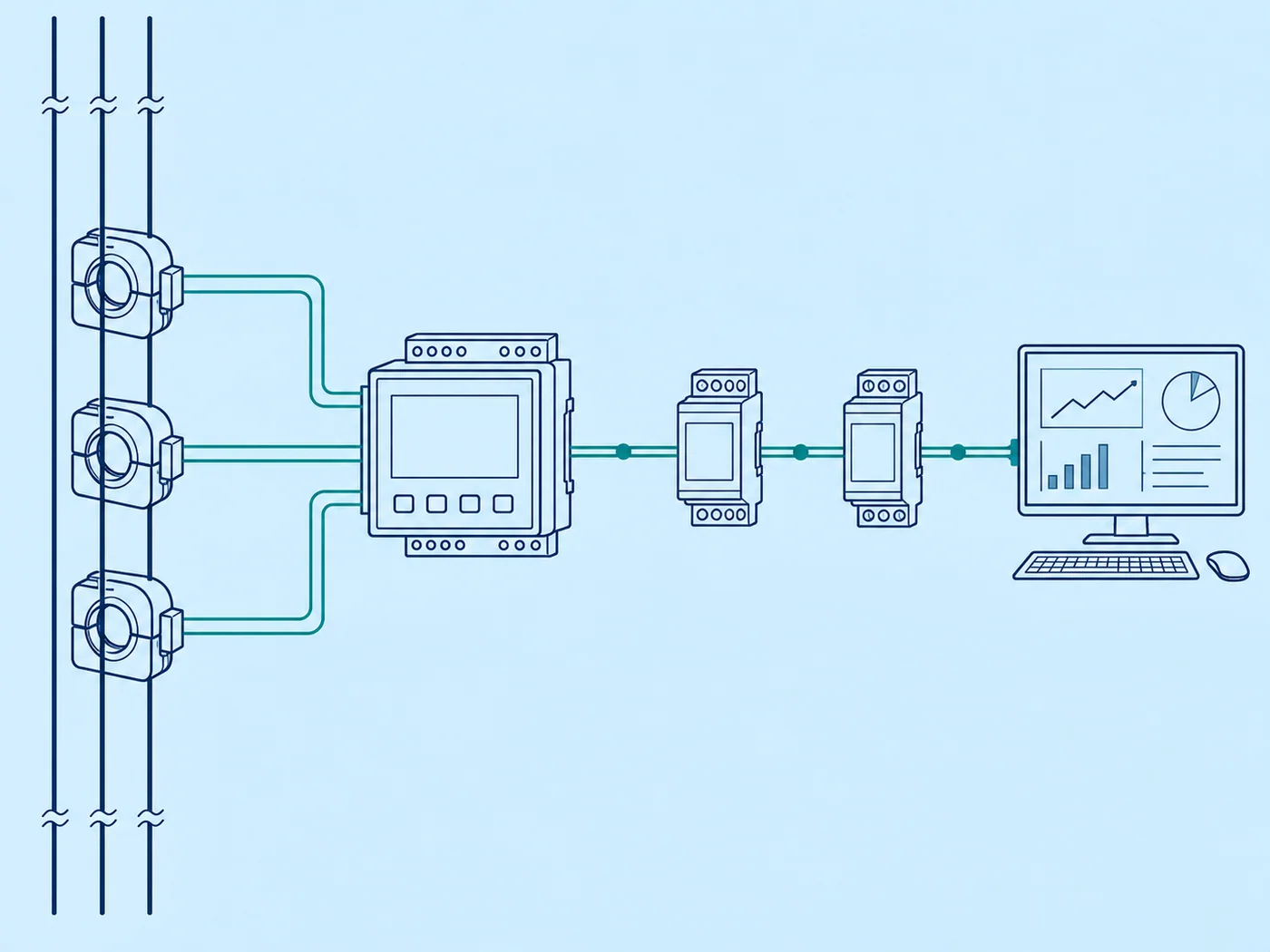
Normalize every Digital Panel Meter offer to the same application record. Keep document revisions, test conditions and open questions beside each value. A proposal can remain commercially interesting while technically incomplete, but missing evidence must stay visible until it is resolved.
Decision Workflow
- List the measurements and which must be simultaneously visible.
- Define the electrical system and sensor interfaces.
- Specify display, output and communication requirements separately.
- Verify exact range, accuracy and wiring documentation.
- Compare panel space with commissioning and failure impact.
- Freeze the model code and configuration record for the RFQ.
Write down the operator's required readings and whether they must be simultaneous. Match the exact meter inputs, sensor interfaces, accuracy and outputs to that task, then compare panel space and commissioning effort before choosing a multifunction unit.
RFQ Preparation Checklist
A useful RFQ for single function vs multifunction panel meter is concise enough to answer and complete enough to prevent silent assumptions. Identify unknown values as questions and require an exact orderable code rather than a generic family recommendation.
- Required measured quantities and ranges
- Single-phase or three-phase wiring arrangement
- CT, shunt or direct-input details
- Display and simultaneous-visibility needs
- Outputs, RS485 and exact protocol requirements
- Accuracy, auxiliary supply, cutout and depth
- Configuration records, quantity and destination
Request the current datasheet revision and the scope of any certification, compatibility or performance claim. Record quantity and destination after the technical inputs so commercial terms do not obscure unresolved engineering questions.
Stop Conditions Before Order Release
Do not release the order while a critical application input is unknown, the quoted model is ambiguous, a required rating is supported only by another manufacturer’s document, or installation conditions fall outside the available evidence. These are engineering gaps, not editorial details.
The approval record should state what the selected item does, what remains outside its scope and which exact documents support the decision. If the application or candidate changes, reopen the affected checks rather than carrying the previous conclusion forward.
Frequently Asked Questions
Is a multifunction meter always more accurate?
No. Function count and measurement accuracy are separate specifications.
Does RS485 mean Modbus RTU is included?
Not automatically. Verify the exact protocol, register map and model.
Can one multifunction display replace several dedicated meters?
Sometimes, but only if the required values, visibility, wiring and operating workflow are satisfied.
Related RITOKS Products and Guidance
Use these links as separate category and product records. A contextual link does not claim interchangeability, compatibility or an approved system combination.
Digital Panel Meter product category
D85 AC digital voltage and current panel meter
Multifunction digital power meter with RS485
AD16-22 LED digital voltage panel meter
Technical References
These primary manufacturer sources support only the general concepts identified below. Their product values, diagrams and approvals do not transfer to RITOKS products.
Schneider Electric, PowerLogic Multifunction Power Meters
Supports the distinction between consolidated multifunction measurement and single-purpose indication. Schneider functions and performance do not transfer to RITOKS meters.
Supports separating measured input, display, outputs and communications when selecting a panel meter. Red Lion options are examples, not RITOKS specifications.
Request an Exact-Model Review
Send the application requirements, exact documentation questions, quantity and destination through the RITOKS contact form. An RFQ requests an exact-model review; this guide does not approve a wiring design, installation or automatic substitute.